Ajay Kumar
Quick answer: how does an AI marketing platform read ad data?
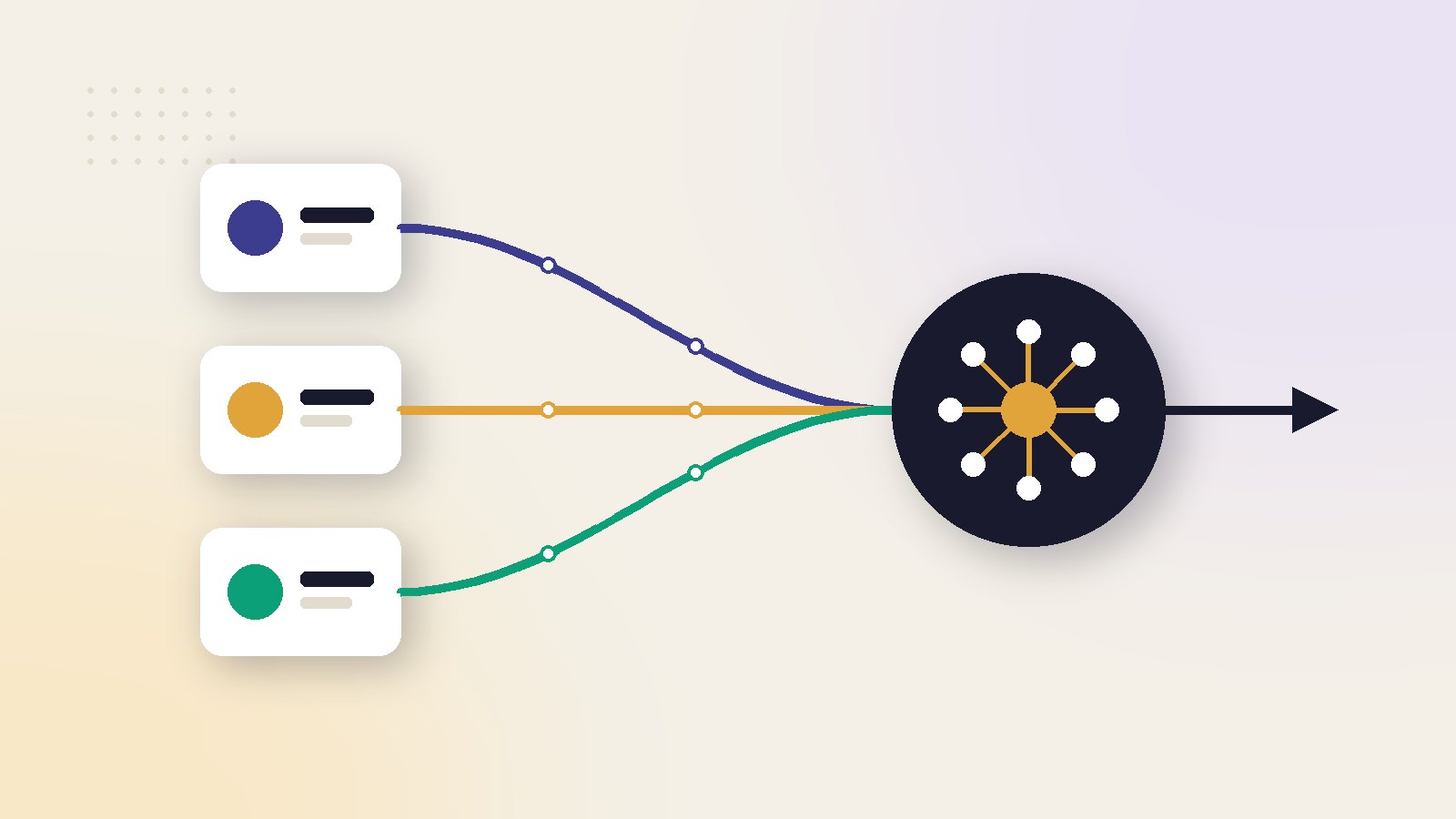
It connects to your ad accounts and store through official access, pulls spend, clicks and orders on a schedule, cleans the numbers, then joins ad spend to real orders. From that joined view it spots changes, compares channels and suggests actions. If tracking is weak, every later step is weaker too.
The four data sources a platform reads
A platform does not have secret data. It reads the same sources you can open yourself. The difference is that it reads all of them, every day, and puts them side by side.
1. Ad accounts
From Meta and Google it pulls spend, impressions, clicks, and the sales each network says it caused. It also reads structure: campaigns, budgets, audiences and the ads inside them.
2. The store
From Shopify or another store it pulls real orders, products, discounts, refunds and whether a customer is new. This is the record of what actually happened.
3. Website analytics
Visits, the pages people saw and where they left. This helps explain why a campaign with many clicks has few orders.
4. Tracking events
The signals your website sends back to the ad networks when someone views a product, adds to cart or buys. These decide what the networks can learn from.
For where this fits among platform types, see our guide to the best AI marketing platforms.
From raw numbers to a recommendation
Between connecting an account and seeing advice, the data passes through six steps.
- Connect. You approve access on the official Meta, Google and store screens. No passwords are shared.
- Pull. The platform requests fresh numbers on a schedule, often every few hours.
- Clean. It fixes currencies, time zones and naming, and removes test orders and duplicates.
- Join. It matches ad spend to store orders by date, campaign and product.
- Compare. It sets today against your own past, and one channel against another.
- Suggest. It turns the gaps it finds into alerts and recommended actions.
| Data | Read from | How fresh | Used for |
|---|---|---|---|
| Spend and clicks | Ad accounts | Same day | Pacing and waste alerts |
| Network-reported sales | Ad accounts | Changes for days | Comparing ads inside one network |
| Orders and refunds | Store | Near real time | True sales and profit |
| Visits and drop-off | Analytics | Same day | Explaining weak conversion |
Why time zones and currencies matter
If your ad account runs on one time zone and your store on another, a day does not mean the same thing in both. A sale at 11 pm can land on different dates. A good platform aligns both to one clock before it compares anything.
How ads are matched to real orders
This is the hard part, and the part that separates a platform from a dashboard.
Two ways to credit a sale
What the network says
Each network credits itself when someone saw or clicked its ad before buying. Two networks can both claim the same order.
What the store says
The order carries a record of how the visitor arrived, usually from tags on the ad link. One order, one source.
A platform keeps both views. It uses the network view to compare ads inside Meta or inside Google. It uses the store view to decide how much to spend on each channel.
Why recent days look worse than they are
Someone can click an ad on Monday and buy on Thursday. The sale is then added to Monday's ad. So the last few days always look weaker than they will a week later. A careful platform marks recent data as incomplete and avoids quick decisions on it.
Meta recommends sending the same events from the browser pixel and from the Conversions API, then removing duplicates. It scores how well events match people with Event Match Quality, out of 10. Google's enhanced conversions do a similar job. A platform should show these scores, because weak tracking makes every number less reliable.
Setup is covered in detail in our guide to pixel, Conversions API and store data.
A worked example: two views of the same week
Here is how the joined view changes a decision.
Worked example: network numbers against store numbers
What each network reports
These numbers are an illustration. In one week you spend ₹60,000 on Meta and ₹40,000 on Google. Meta reports ₹3,00,000 of sales. Google reports ₹2,40,000. Together they claim ₹5,40,000.
What the store recorded
The store shows ₹4,00,000 of total sales in that week. Of that, ₹3,20,000 came from visits tagged as paid ads.
Blended return = total store sales ÷ total ad spend
₹4,00,000 ÷ ₹1,00,000 = 4.0. The two networks together would suggest 5.4, which is 35% too high.
The platform now knows that some orders were claimed twice. It plans next week's budget on a return of 4.0, not 5.4, and looks at which channel the store's own tags favour.
What to do with the gap
A gap between the two views is normal. What matters is whether it is stable. If the networks usually claim about a third more than the store shows, you can plan around that. If the gap suddenly doubles, something in tracking has probably broken. Our guide to measurement and attribution explains the methods in more depth.
What a platform cannot see
Knowing the blind spots makes you a better user of any tool.
Sales that never touch the website
Phone orders, shop counter sales and marketplace orders are invisible unless you add them. A brand with large offline sales will see ads undervalued.
People who decline tracking
Privacy settings on phones and browsers hide part of the journey. The networks fill the gap with estimates. See AI ads and privacy for what has changed.
Why something worked
Data shows that an ad did well. It rarely shows whether the reason was the offer, the season or a competitor running out of stock. That judgement stays with you.
Very small numbers
Meta says an ad set needs about 50 results in a week to leave the learning phase. Below that, results swing a lot from day to day. A platform should say when there is too little data to decide.
What people get wrong about ad data
Treating network numbers as bank numbers
Reported sales are estimates of credit, not money received. Use them to compare ads, not to count revenue.
Judging yesterday on its own
One day is noise, and recent days are incomplete. Look at seven days, and compare with the seven before.
Renaming campaigns every week
Platforms use names to group and compare. If names change constantly, history breaks and trends disappear.
Ignoring refunds and cancelled orders
An order that was returned is not a sale. If the platform does not subtract refunds, profit looks better than it is.
ScaleWin, our own product, reads Meta, Google and store data in the way described here. The checks in the next section work for any platform.
Five checks that it has read your account correctly
Do these in the first week, before acting on any recommendation.
Spend
Pick one past week. Spend in the platform should match the ad accounts to the rupee.
Orders
Order count and sales for that week should match your store report, after test orders are removed.
Dates
Check one busy day. If the totals differ only on days around midnight sales, the time zones are not aligned.
Currency and tax
Confirm whether figures include GST and shipping, and that both sides are treated the same way.
One recommendation
Open a single suggestion and trace its numbers back to the source. If you cannot find where a figure came from, ask before you act on it.
If all five pass, the platform is reading your account properly, and its advice deserves a fair trial.
Read next in this series
- AI Marketing Platform ROI: How to Measure It Without Fooling Yourself
- Moving From an Agency to an AI Marketing Platform: A Step-by-Step Checklist
- AI Marketing Platforms for Agencies: The Multi-Client Features That Matter
- AI Marketing Platform Pricing: What You Really Pay in a Year
- Best AI marketing platforms compared
- What an AI marketing platform is and the features that matter
- AI marketing platform for Meta and Google Ads
- All-in-one AI marketing platform vs point tools
- AI marketing platform for Shopify: what to look for
Key takeaways
- A platform reads four things: ad accounts, store orders, website analytics and tracking events.
- The key step is joining ad spend to real store orders, not repeating what each network reports.
- Recent days are always incomplete, because orders are credited to ads with a delay.
- Tracking quality sets the ceiling. A platform cannot repair purchases that were never recorded.
- Check its numbers against your own records for one week before you trust any advice.
Ai marketing platform: frequently asked questions
Does a platform need my passwords to read ad data?
Why do Meta and Google report more sales than my store?
How often is the data updated?
Can a platform fix bad tracking?
How do I know the platform read my data correctly?
Sources
- Meta Business Help Centre: Best practices for Conversions API
- Meta Business Help Centre: About Event Match Quality
- Google Ads Help: About enhanced conversions
- Meta Business Help Centre: About the learning phase

Ajay is the founder of ScaleWin. He works hands-on with Meta Ads, Google Ads and SEO for Indian D2C and service brands, and built ScaleWin so that the daily work of a performance marketer - reading numbers, pausing losers, scaling winners - happens automatically.
Drafted with AI assistance. How these articles are written
Let ScaleWin read your ad data every day
ScaleWin checks your Meta and Google Ads daily, judges every ad on profit and tells you exactly what to change.
Start free, no card