Ajay Kumar
Quick answer: what data does ad AI need from you?
Ad AI needs three things from your data: every conversion, sent from both the browser pixel and your server through the Conversions API, enough customer details to match each event to a person, and true order values from your store. Missing, duplicated or late events teach the algorithm to chase the wrong buyers.
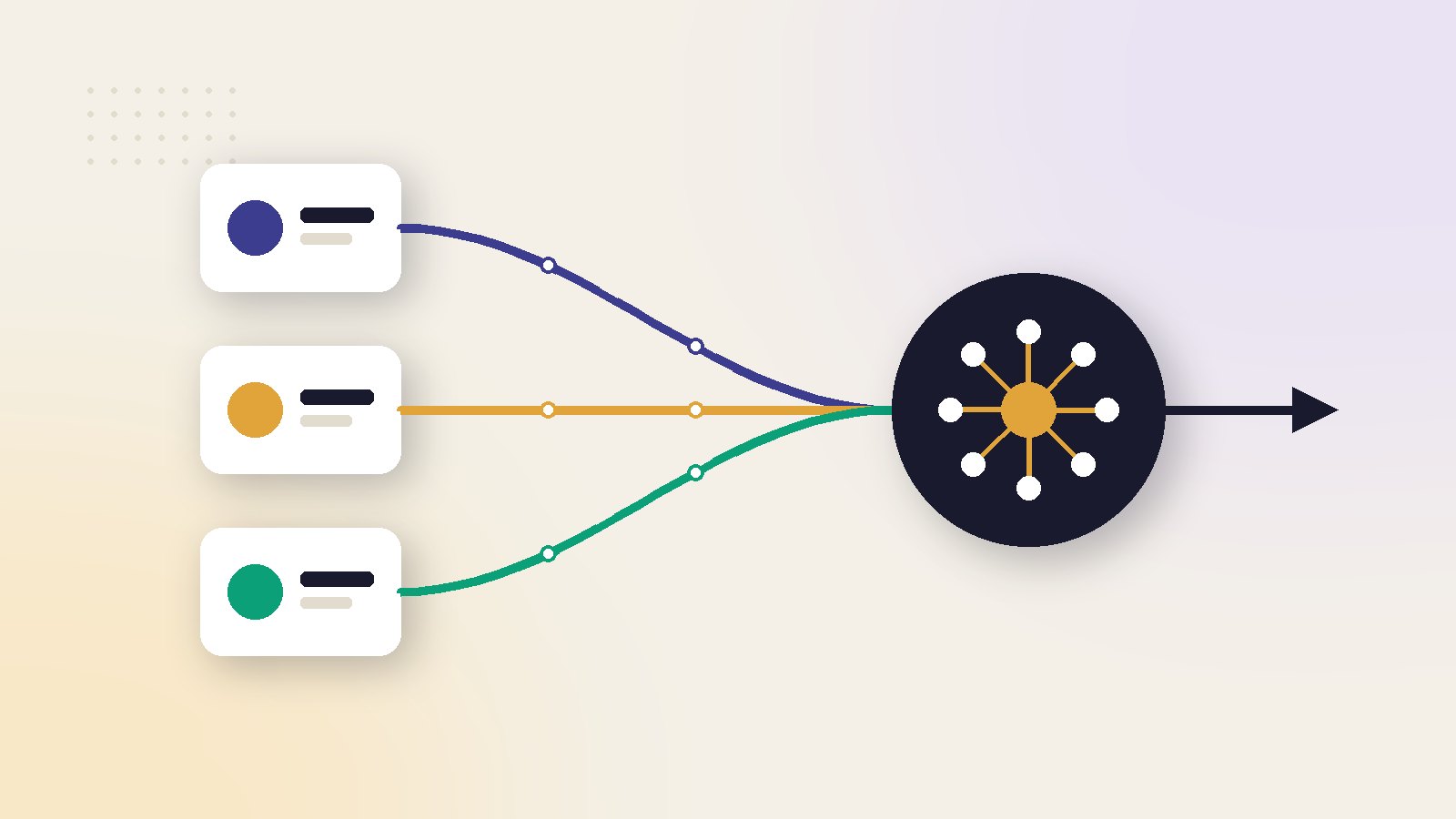
Ad AI learns from three data streams: browser, server and store
Every automated ad system, from Meta's Advantage+ to Google's Smart Bidding, learns from the conversions you report back to it. It gets them through three streams: the browser, your server and your store.
- Browser: the pixel or tag on your site reports what a visitor does, as it happens.
- Server: the Conversions API (CAPI) sends the same events from your server, where browsers cannot block them.
- Store: your order system holds the facts the other two cannot know, such as true order value, delivery and returns.
If a stream is weak, the AI does not stop. It keeps optimising, with full confidence, towards whatever it can still see. That is why a data fault rarely looks like an error. It looks like a slow rise in cost per order.
This article is the data chapter of our series. The wider view is in what AI changes for brands, agencies and platforms.
What the algorithm needs from each source
Each source has one job, one typical gap and one check you can run in a few minutes.
| Source | What it sends | Typical gap | Monthly check |
|---|---|---|---|
| Browser pixel | Page views, add to cart, checkout and purchase, as they happen | Lost to network issues and page loading errors | Pixel purchases against store orders |
| Conversions API | The same events, from your server | Not set up for all events, or not deduplicated | Event coverage against the pixel |
| Customer details | Hashed fields such as email and phone, sent with each event | Too few fields, so events match to nobody | Event match quality trend |
| Store and order system | Order value, currency, products, delivery and returns | Value includes tax, and refused orders count as sales | Platform revenue against delivered revenue |
Meta's best practices for the Conversions API ask for a redundant setup: share the same events through the pixel and through CAPI. Its reason is simple. The server can capture events the pixel misses.
On Shopify, this is a setting. Shopify's data sharing page lists three levels. Standard uses the pixel only. Enhanced and Maximum add the Conversions API. If your store is still on Standard, the server stream does not exist yet.
The 6 signal checks, in a fixed order
Run these checks in this order. Each one depends on the one before it, so fixing them out of order wastes time.
- Coverage. Are the same events arriving from both pixel and server? Meta says to aim for a 75% event coverage ratio of Conversions API events to pixel events.
- Deduplication. When both streams send the same purchase, Meta must keep one and discard the other. Check the deduplication status for each event in Events Manager.
- Match quality. Meta scores event match quality from 0 to 10, using the customer details you send and the share of events it could match. The score uses the last 48 hours of data.
- Value. Does each purchase carry the right amount and currency? Compare a day of platform revenue with the same day in your store.
- Freshness. Meta asks for events in real time, or as close to it as possible. A nightly batch upload gives the delivery system much less to work with.
- Volume. Does each ad set get enough results to learn? The next section shows the sum.
A gap makes results look worse than they are. A duplicate makes them look better. If purchases are counted twice, ROAS (return on ad spend) looks healthy while real profit falls, and nobody goes looking for the fault.
Google has its own version of the match step. Enhanced conversions send hashed first-party data, such as email addresses, alongside your conversion tags. Google hashes the data with SHA256 before it leaves the site.
We keep a longer version of this routine in our daily, weekly and monthly Meta ads checklist.
Volume: how many ad sets can your budget feed?
Clean data is not enough if it is spread too thin. Meta's page on the learning phase says an ad set usually leaves learning after about 50 results in the week after its last significant edit.
So the question is not only "is my tracking right?" It is also "how many ad sets can my weekly results support?"
Count the results each ad set really gets
Use the results the platform receives after deduplication, not the orders in your store. The gap between the two is signal the AI never saw.
Worked example: a brand spending ₹30 lakh a month on Meta
Step 1: Work out weekly results
Example: the brand spends ₹30,00,000 a month, which is about ₹7,00,000 a week. Its cost per purchase is ₹1,000. That gives about 700 purchases a week.
Step 2: Divide by 50
Ad sets the budget can feed
Weekly results ÷ 50 = 700 ÷ 50 = 14 ad setsThe account runs 20 ad sets. On average each gets 35 purchases a week, which is under the 50 Meta mentions. Several will sit in Learning Limited however long the team waits.
Step 3: Correct for lost signal
The store shows 700 orders, but Events Manager shows 560 purchases. One in five never reached Meta.
Ad sets the received signal can feed
560 ÷ 50 = 11 ad setsThe brand has two jobs: merge down to about 11 ad sets now, and fix coverage so the missing 140 purchases start to count.
Our rule of thumb: plan for 10-20% fewer ad sets than the sum allows. Results are never spread evenly, and the smallest ad sets starve first. More on this in how to exit the learning phase faster.
What only your store knows: tax, delivery and returns
The pixel and CAPI report that an order was placed and what it was worth. They do not know what happened next. Only your store and courier data do.
Three gaps matter most for brands spending ₹10 lakh or more a month:
- Tax inside the value. Order value often includes GST in India, VAT in the UK, EU and Gulf, or sales tax in the US. The algorithm treats that tax as revenue.
- Refused cash on delivery (COD) orders. In India, the Gulf and parts of South-East Asia, a share of COD orders come back as return to origin (RTO). The platform already counted them as purchases.
- Returns and cancellations. A returned order taught the AI to find more buyers like the one who sent it back.
You cannot fully fix this inside the ad platform. You fix it in how you judge results. Work out revenue from delivered, tax-exclusive orders, and compare campaigns on that number. Our guide to connecting an AI Meta ads tool to Shopify for profit-based optimisation shows the setup.
Always set ROAS targets on delivered, tax-exclusive revenue. If that number is more than 25% below what the platform reports, review your COD and return rates before you scale spend.
This is the gap ScaleWin was built around. It reads the store next to the ad accounts and judges each ad on profit after product cost, shipping, tax and returns.
Consent and privacy: the data you may not send
More data helps the algorithm, but only data you are allowed to share. Both platforms put this duty on the advertiser.
Meta's best practices page tells advertisers to make sure they have lawful permissions and any necessary consents before they share customer information. Google goes further for Europe. Its page on consent mode for the European Economic Area says advertisers must follow its EU user consent policy to use ad personalisation and measurement with tags that send data to Google.
In practice:
- Show a consent banner to visitors from the European Economic Area, and pass their choice to your tags.
- Send customer details hashed, never as plain text.
- Send only the fields you need for matching. More fields mean more risk if something leaks.
- Write down which tool sends what, so a new agency or developer does not switch on a second copy of the same event.
For how attribution works once cookies are limited, see AI in advertising measurement after cookies and iOS.
What most guides get wrong about data for ad AI
A lot of advice on this topic is either out of date or treats one tool as the whole answer. These are the common errors.
- "The Conversions API replaces the pixel." Meta recommends both together, sending the same events.
- "More events are always better." Only if they are deduplicated and correct. A second copy of every purchase can do more harm than having no server events.
- "Aim for a match quality score of 10." Meta says the effect of each customer detail depends on your audience. Watch the trend and follow the recommended actions in Events Manager.
- "The platform knows your profit." It knows the order value you sent. Margin, tax, delivery and returns stay in your store.
- "Learning needs 50 conversions a day." Meta's wording is about 50 results in the week after the last significant edit.
- "Tracking is a one-time setup." Theme updates, new apps and checkout changes break it. Check it every month.
Read next in this series
Key takeaways
- Send the same events from the pixel and the Conversions API. Meta calls this a redundant setup and recommends it.
- Check six things in order: coverage, deduplication, match quality, value, freshness and volume.
- An ad set usually leaves learning after about 50 results in the week after its last significant edit, so count how many ad sets your budget can feed.
- The platform sees order value, not profit. Tax, refused COD orders and returns are invisible unless your store data corrects for them.
- For visitors in the European Economic Area, consent decides what you may send. Build that into the setup, not around it.
Ai and advertising: frequently asked questions
Do I need both the pixel and the Conversions API?
What is a good event match quality score?
How many conversions does an ad set need to learn?
Why does my store show more orders than Meta?
Does ad AI know which orders were returned or refused?
What data needs consent before I send it to ad platforms?
Sources
- Meta Business Help Centre: Best practices for Conversions API
- Meta Business Help Centre: About event match quality
- Meta Business Help Centre: About the learning phase
- Google Ads Help: About enhanced conversions
- Google Ads Help: Updates to consent mode for traffic in the European Economic Area
- Shopify Help Center: Facebook data sharing

Ajay is the founder of ScaleWin. He works hands-on with Meta Ads, Google Ads and SEO for Indian D2C and service brands, and built ScaleWin so that the daily work of a performance marketer - reading numbers, pausing losers, scaling winners - happens automatically.
Drafted with AI assistance. How these articles are written
Let ScaleWin read your ad data every day
ScaleWin checks your Meta and Google Ads daily, judges every ad on profit and tells you exactly what to change.
Start free, no card