Ajay Kumar
Quick answer: what is Google Ads Quality Score?
Quality Score is a 1-10 rating Google gives each keyword to show how your ads compare with other advertisers. It is based on three components: expected CTR, ad relevance and landing page experience, each rated Above average, Average or Below average. Google says it is a diagnostic tool, not a direct input to the auction - but improving what it measures usually improves your ad rank and lowers your costs.
You open your Google Ads keywords report and see a column of numbers from 1 to 10. Some keywords are 8s, some are 3s. What does it mean - and should you worry?
Quality Score is one of the most useful diagnostics in Google Ads, and one of the most misunderstood. This guide explains what it really measures, where to find it and how to improve it.
What is Quality Score in Google Ads?
Quality Score is a rating from 1 to 10 that Google shows for each keyword in your Search campaigns. It estimates how your ads and landing pages compare with those of other advertisers showing for the same keyword, based on the last 90 days.
Importantly, Google describes Quality Score as a diagnostic tool, not an input to the ad auction. Think of it as a warning light on your car's dashboard: it doesn't drive the car, but it tells you something needs attention.
The three components of Quality Score
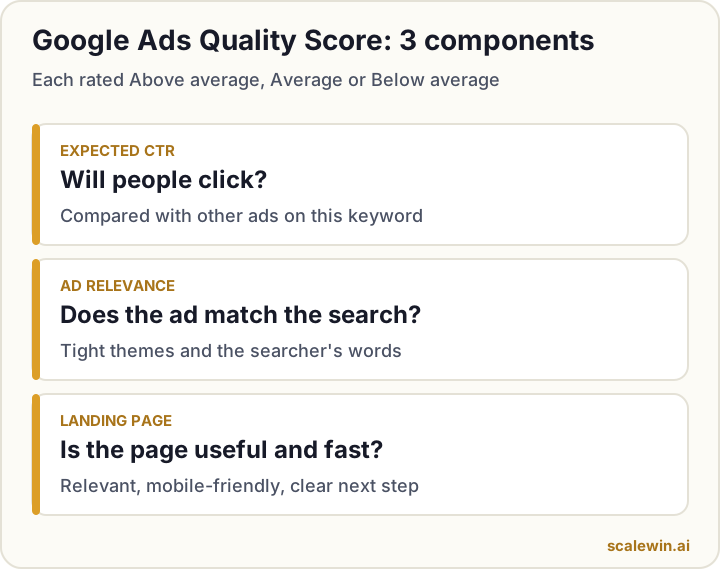
1. Expected click-through rate
How likely people are to click your ad when it shows for this keyword, compared with other advertisers.
2. Ad relevance
How closely your ad matches the intent behind the search.
3. Landing page experience
How relevant and useful your landing page is for people who click - including whether it loads fast and is easy to use on mobile.
Each component is rated Above average, Average or Below average. These ratings are more useful than the overall number because they tell you exactly what to fix.
Where to find Quality Score
- In Google Ads, open a Search campaign and go to Keywords (under Audiences, keywords and content).
- Click the columns icon and add Quality Score, Exp. CTR, Ad relevance and Landing page exp.
- Optionally add the "(hist.)" versions to see how they changed over time.
- Sort by cost and look at your most expensive keywords first.
Why Quality Score matters (even though it isn't an auction input)
Your ad's position and cost are decided by ad rank, which combines your bid with the quality of your ad and landing page, the context of the search and your ad assets. The things Quality Score measures are the same things that feed that quality signal. Improve them and you can win better positions without simply bidding more.
How to improve each component
| Component | If it's Below average, try... |
|---|---|
| Expected CTR | Put the keyword theme in headlines, add prices/offers and a clear call to action, add sitelinks and callouts, pause low-intent keywords |
| Ad relevance | Split broad ad groups into tight themes, write ads specific to each theme, use the searcher's words |
| Landing page experience | Send traffic to the most relevant page (not the home page), match the ad's promise, speed up mobile load, make the next step obvious |
Improving expected CTR
- Write responsive search ads with several strong, specific headlines.
- Include a reason to click now - price, offer, delivery time, free consultation.
- Add assets: sitelinks, callouts, structured snippets, call and location assets.
- Use negative keywords so ads don't show for searches people won't click.
Improving ad relevance
- Group keywords by one tight theme per ad group ("cold pressed coconut oil" separate from "coconut oil for hair").
- Make sure each ad clearly answers that theme.
Improving landing page experience
- Send each ad group to the page that best matches it.
- Keep the headline consistent with the ad.
- Load fast on mobile - compress images and remove unused scripts (our product page SEO guide covers Core Web Vitals).
- Make contact details, price and the next step easy to find.
Prioritise by spend
Don't try to fix every keyword. Start with the 10-20 keywords that spend the most, and fix their Below average components first.
Quality Score myths
"A higher Quality Score always means lower costs"
Often, but not always - competition, bids and context still matter. Use it as a guide, not a guarantee.
"You should pause every keyword below 5"
No. A keyword with a 4 that brings profitable sales is worth keeping. Judge keywords on cost per conversion first, then use Quality Score to improve them.
Quality Score in the age of AI Max
As broad matching and AI Max for Search expand which searches trigger your ads, relevance matters even more. Tight themes, good landing pages and regular search term reviews keep AI working for you rather than against you.
The bottom line
Quality Score tells you where your ads or pages are weaker than competitors'. Fix the components rated Below average, starting with your highest-spending keywords, and your costs and positions will usually follow.
Key takeaways
- Quality Score is a 1-10 keyword-level diagnostic with three components.
- It isn't an auction input, but what it measures affects ad rank and cost.
- Fix expected CTR with better ads, ad relevance with tighter themes, landing pages with speed and relevance.
- Focus on components rated Below average, starting with your highest-spend keywords.
- Don't chase the number - chase relevance and conversions.
Google Ads Quality Score: frequently asked questions
What is a good Quality Score?
Does Quality Score affect cost per click?
Why does my keyword show no Quality Score?
Does Performance Max have a Quality Score?
How long does it take to improve Quality Score?

Ajay is the founder of ScaleWin. He works hands-on with Meta Ads, Google Ads and SEO for Indian D2C and service brands, and built ScaleWin so that the daily work of a performance marketer - reading numbers, pausing losers, scaling winners - happens automatically.
Drafted with AI assistance. How these articles are written
Let ScaleWin fix your Quality Score
ScaleWin finds low-quality keywords, tightens ad relevance and flags slow landing pages - every day.
Start your 3-day free trial